
Trusted by the world's top companies:








Launch a physical product with a photoreal hero film
Show what's inside: mechanics, materials, layers, systems
Visualize engineering that can't be filmed
Turn CAD files or product photos into polished animation
Replace or extend product photography with CG renders
You're in the right place if you need to...


Make the engineering the attraction
Some of a product's best features are hidden inside it. 3D product animation lets us move from a material or finish to the mechanism beneath it, opening a housing or separating an assembly so the feature makes sense in motion. The viewer can see how the parts fit together and what they do.
We choose what to reveal around the people watching. A launch film might dwell on the design; a technical animation may need to show the order of an operation or how two components interact. Your engineering references keep those details grounded, while camera placement, lighting, and pacing make them easier to follow.

What we make

3D Product Animation
Show your product from every angle, with a fidelity that holds up next to photography. Highlight its design and materials, reveal how components fit together, or show it in action so viewers understand how it works.
3D product animation is your product performing at its photoreal best: assembling, rotating, opening, working - at a fidelity that holds up next to photography, with angles photography can't reach. We build from your CAD models and engineering data, and we review against engineering until it's right. And accurate to the bolt.

Product Launch Videos
The date is fixed, and the product might not exist yet. We build the whole set from CAD, teaser through hero film and cutdowns, so the launch is ready before the first unit is.
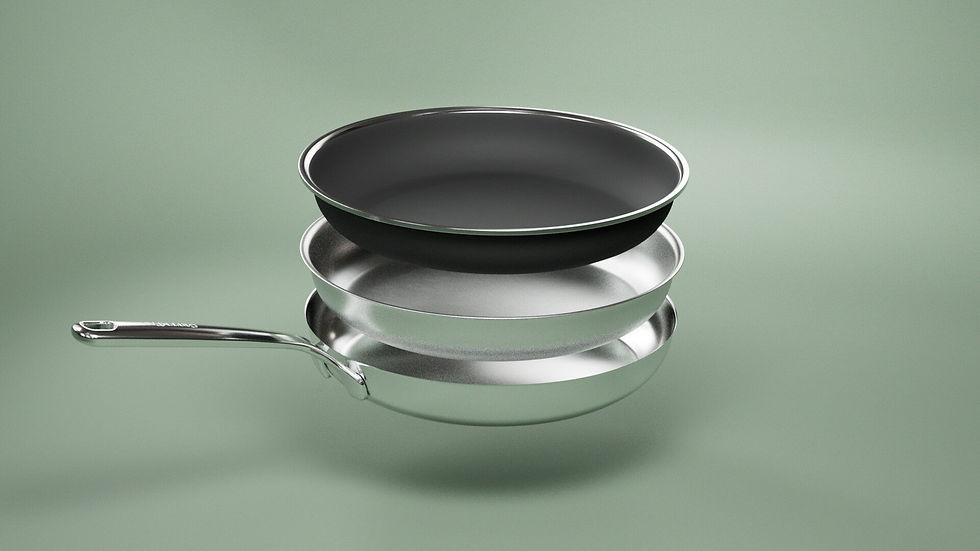
Product Rendering & Visualization
Photoreal stills and renders for e-commerce, decks, packaging, and print. One model, unlimited angles, every colorway. It covers full product visualization programs: launch libraries, configurator assets, key art.
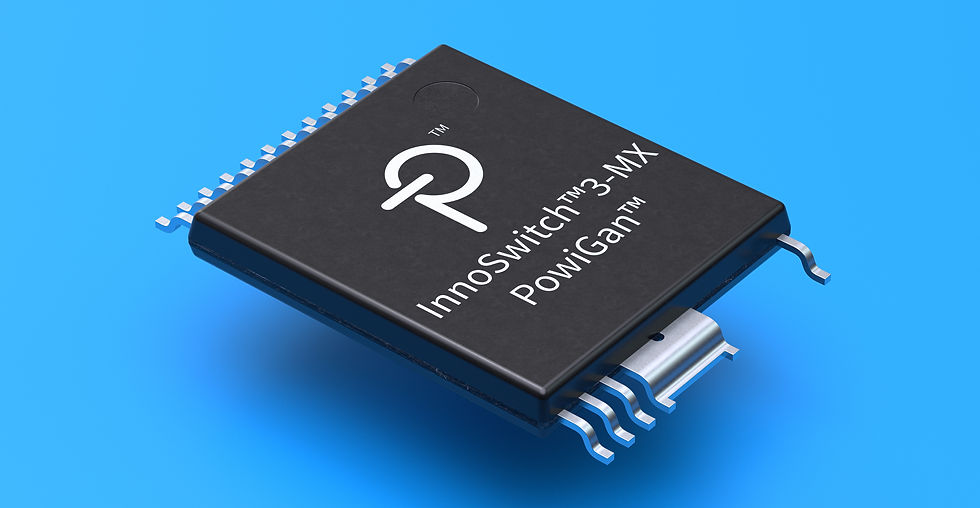
Technical & Engineering Animation
Cutaways, cross-sections, and exploded views that show one system at a time, built for accuracy and reviewed against your engineering. We get the details right, down to the thread on the fastener.
This is a test paragraph. This is a test paragraph. This is a test paragraph. This is a test paragraph. This is a test paragraph.

Medical Animation
Show what happens inside the body, from the movement of a joint to the activity inside a cell. Explain how a treatment works, demonstrate a medical device, or guide viewers through a procedure with clear, detailed animation.
Medical animation makes the invisible mechanisms of medicine visible: device function, mechanism of action, anatomy, and procedure - rendered with the same photoreal standard as our product work and the accuracy discipline of our engineering work. Every frame is built to survive medical review, because it will have to.
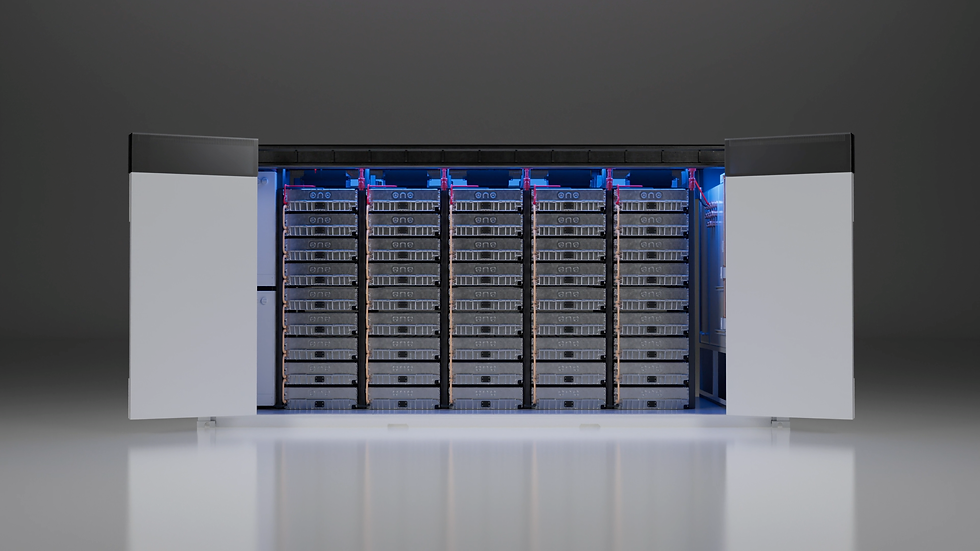
Industrial Animation
Show how machinery, equipment, and manufacturing processes work. Take viewers inside the equipment, follow materials through a production line, or show how individual components work together.
Industrial animation visualizes what cameras can't: manufacturing processes, energy systems, plant operations, heavy equipment - things too large, too internal, too dangerous, or not yet built. We work from engineering data and we're passionate about the details your operators will check first.

Technical Illustration
Most start as a diagram engineering already made: accurate, and impossible to put in front of a customer. We rebuild it for the product page, the deck, or the ad.
This is a test paragraph. This is a test paragraph. This is a test paragraph. This is a test paragraph. This is a test paragraph.
The 3D product animation process
A convincing 3D product animation starts with understanding the product. We review your CAD files, engineering drawings, photography, and references, then identify what the film needs to show. A launch video might concentrate on form, materials, and finish; a technical animation may need to explain an assembly or reveal a mechanism. That purpose guides the shot sequence and the preparation of the 3D models.
We build materials and lighting around the product’s physical details, then use animation to show how it looks and works. Exploded views, cutaways, and cross-sections can reveal parts a camera cannot reach. Camera movement and labels help viewers follow the explanation, while your engineers review the work at agreed stages for accuracy. When CG appears alongside filmed footage, visual effects integrate the two.
Once the visuals are approved, Finishing & Post completes the edit, color, and sound. We prepare the agreed product films, shorter versions, and still renders for their intended uses, whether that means a launch, a sales presentation, an ecommerce page, or a trade-show screen.

FAQ
How much does a 3D product animation cost?
The price depends on the animation’s length, product complexity, and what needs to be shown. An exterior reveal takes different work from a detailed exploded view or an industrial process with many moving parts.
Usable CAD or 3D models can reduce modeling time. Realism, rendering, review rounds, and alternate versions also affect the budget.
Share your references and available assets so we can define the scope. For ranges and cost factors, see How pricing works.
How long does it take?
Timing depends on the starting assets, animation complexity, and number of deliverables. A reveal using a prepared model is a smaller job than building a product and animating its internal mechanics.
We also allow for design, engineering review, rendering, and finishing. Send your assets, deliverable list, and target date, and we’ll map out approvals and explain any scope changes needed to meet the deadline.
Can you animate from our CAD files?
Yes, that’s our usual starting point. Approved CAD models give us the product’s geometry and dimensions. We prepare the files for animation, separate moving components, and add materials, textures, and lighting.
Engineering drawings and photos help confirm finishes and details the CAD doesn’t show. Usable files usually save modeling time and budget. Send what you have and what you’d like to demonstrate, and we’ll identify anything else needed.
How do you show what's inside a product?
We use exploded views, cutaways, and cross-sections to reveal the parts a camera can’t see. An exploded view separates components to show how they fit together. A cutaway removes part of the exterior to expose the mechanism, while a cross-section shows a slice through the product and its layers.
We stage the animation one layer or system at a time, using movement, lighting, and labels where helpful to guide attention. Viewers can see what each part does, how the parts interact, and why a particular design detail matters.
How do you check technical accuracy?
Your engineers review the work for technical accuracy. We use annotated cuts to make the components, movement, and process clear, so your team can flag anything that needs correcting as the animation develops.
We agree on review stages and who needs to approve the technical details. That gives your team a clear role in checking the work before final delivery.
Why use 3D animation instead of filming the product?
Because the camera can't shoot what doesn't exist yet, and it can't see inside what does. 3D animation shows pre-production hardware, internal mechanics, and impossible angles, with every colorway rendered from one model. When the product is still on paper, or the story is inside the housing, rendering beats filming.
We can also visualize systems and processes that are still on paper, using engineering drawings and references to establish what the animation needs to show.
What's the difference between a 3D product animation and an explainer video?
A 3D product animation shows your actual product’s materials, moving parts, and internal construction. It suits demonstrations, cutaways, and exploded views where the design or engineering matters.
An explainer walks through an idea, process, or customer problem, often using simpler illustrations and diagrams. The two can work together: explain the bigger idea, then use a detailed product sequence to show the mechanism.
Can it look like an Apple launch film?
Apple set the reference everyone brings to a product-film brief, and the craft behind that look is the discipline we practice: photoreal rendering from CAD, careful light, obsessive materials. Send the reference with your brief and we'll tell you what that finish takes at your scope.
